How to make an Instagram grid that lines up
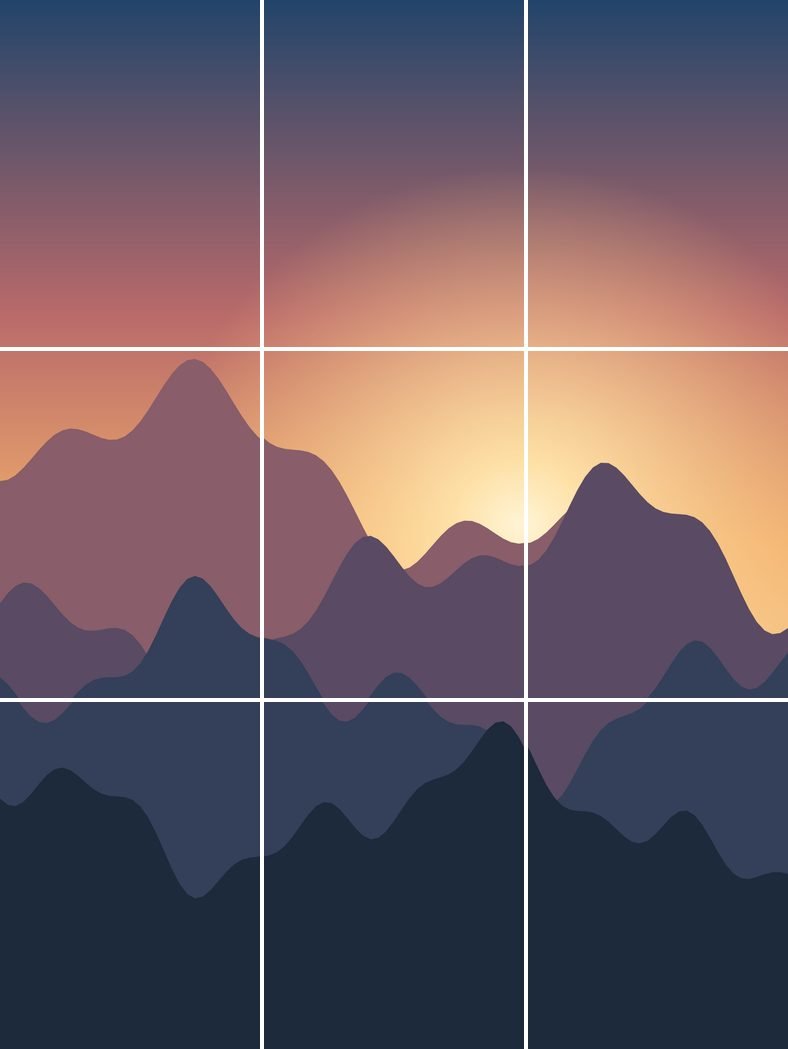
A grid post is one photo cut into several pieces and posted one after another, so your profile shows the full picture when someone opens it. A 3 × 3 grid, sometimes called a 9 cut, is the most popular size. Here’s how to make one with the tool above.
- Pick a photo with room around the subject A wide shot or a design with plenty of background works best. Each piece also shows up on its own in your followers’ feeds.
- Choose how many rows One row gives you 3 posts, two rows give you 6, and three rows give you the classic 9 cut. More rows make a bigger picture, but you’ll have more posts to publish in one go.
- Move and zoom the photo Drag to position it, then pinch or use the zoom bar. The yellow lines show exactly where each cut falls, so keep faces and text away from them.
- Check the profile preview It shows your tiles in the 3:4 shape Instagram uses on profiles, so what you see is what visitors will see.
- Download and post in order Start with post 1, the bottom-right tile, and end with the top-left one. Each new post pushes the older ones along, so the picture builds from the bottom up.
Why grids from older tools look cut off
Instagram profiles used to show every post as a square. In January 2025 the profile switched to taller 3:4 thumbnails, and a few months later Instagram started accepting full 3:4 photos at 1080 × 1440 pixels.
Many grid makers and image splitters still cut square or 4:5 tiles. The profile trims each of those to 3:4, so a strip disappears from the sides of every tile and the picture no longer meets at the seams.
This tool cuts every tile to the 3:4 thumbnail shape by default. If you post through a scheduling app that only accepts 4:5, choose the 4:5 tile size. The seams then line up inside the area the profile shows, and the thin side strips are filled with the neighbouring part of your photo, so each post still looks natural when opened.
Tips for a seamless grid
- Post all the tiles in one sitting. If anything else gets posted in between, every tile after it shifts one place and the picture breaks apart.
- Use a large photo. A three-column grid at full quality needs a photo about 3,240 pixels wide. The tool tells you when yours is too small for the layout you picked.
- Make each tile work alone. Followers see one tile at a time in their feed, so a tile that’s only sky won’t do much there. A short caption on each post helps.
- Watch out for pinned posts. Pinned posts sit at the start of your grid and push everything else along. Unpin them before you post, or plan around them.
- Keep text in the middle of a tile. Words split across a cut are hard to read in the feed, even if they look fine on your profile.
Common mistakes
Posting the top-left tile first. It feels natural, but it builds the picture backwards. Always start with post 1, the bottom-right tile.
Editing tiles one by one. A filter or brightness change on a single tile shows up as a hard line at the seam. Edit the full photo first, then cut it.
Letting Instagram crop the upload. When you add each tile, check that the whole tile is showing before you continue, otherwise the edges won’t match.
More ways to split a photo
Want one wide picture that people swipe through instead? The carousel splitter cuts it into up to 20 slides that flow into each other. For a single strip of three posts across your profile, use the Instagram banner maker, or the TikTok banner maker for the same look on TikTok. You can even make a moving grid from a video with the Reel grid maker. Every size Instagram uses right now is in the Instagram size guide.
How we test this tool
Every export is measured before an update goes live: tiles must come out at exactly 1080 × 1440, or 1080 × 1350 in 4:5 mode. We also compare the rows of pixels on both sides of every cut, so a picture that runs across a seam continues without a jump. The posting order follows how Instagram adds posts to a profile, newest in the top-left corner. The sizes come from Instagram’s own announcement of 3:4 photo support, listed with our other sources in the size guide. You can read the rest of our process in how we test and write.
Questions people ask
Is this grid maker free?
Yes. There’s no account, no watermark and no limit on how many grids you make.
Is my photo uploaded to a server?
No. The photo is cut by your own browser on your own device. It never leaves your phone or computer, and we never see it.
What size are the tiles?
1080 × 1440 pixels by default, which matches the 3:4 profile grid. With the 4:5 option they’re 1080 × 1350. Both are saved as high-quality JPEG files.
How do I make a 9 cut for Instagram?
Upload your photo, keep the rows at 3 and download. You get nine numbered tiles. Post them from post-01 to post-09 and the full picture appears across the top three rows of your profile.
Which tile do I post first?
The bottom-right one, saved as post-01. Then work through the numbers in order until you finish with the top-left tile.
Does it work on my phone?
Yes. On most phones you can tap “Save tiles to my phone” to put the tiles straight into your photos. You can also download them as a ZIP file.
Written and tested by Profile Grid Maker. Last updated October 22, 2026. How we test